Last year I added up every SaaS subscription I was paying for.

Buffer, Typeform, DocuSign, FreshBooks, Linktree, Canva Pro, Deadline Funnel, a cookie consent plugin, an email signature tool I set up once and never touched again.

$327 a month. $3,924 a year. For tools I use maybe twice a week.

I'd been paying some of them for three years without thinking about it. That's a used car. Gone. For software that — and this is the part that made me angry — does something a single file on my computer can do.

I Cancelled $327/Month in Subscriptions. Every Tool Still Works. Here's How.

For 12 years I ran online businesses and paid for every tool without question. That's just what it costs. Right?

Then AI made something possible that wasn't possible before: non-technical people can now create professional tools in minutes. Not toy versions. Real tools — PDF editors, invoice generators, contract signers, form builders — that work offline, on any computer, forever.

I created 13 of them. Then I wrote 9 guides so you can create even more, customized for your business. This page shows you exactly what you get.

$47 — one-time payment, yours forever
Get Instant Access — $47 Instant download • Works on any computer • 30-day money-back guarantee

Here's What These Companies Don't Want You to Know

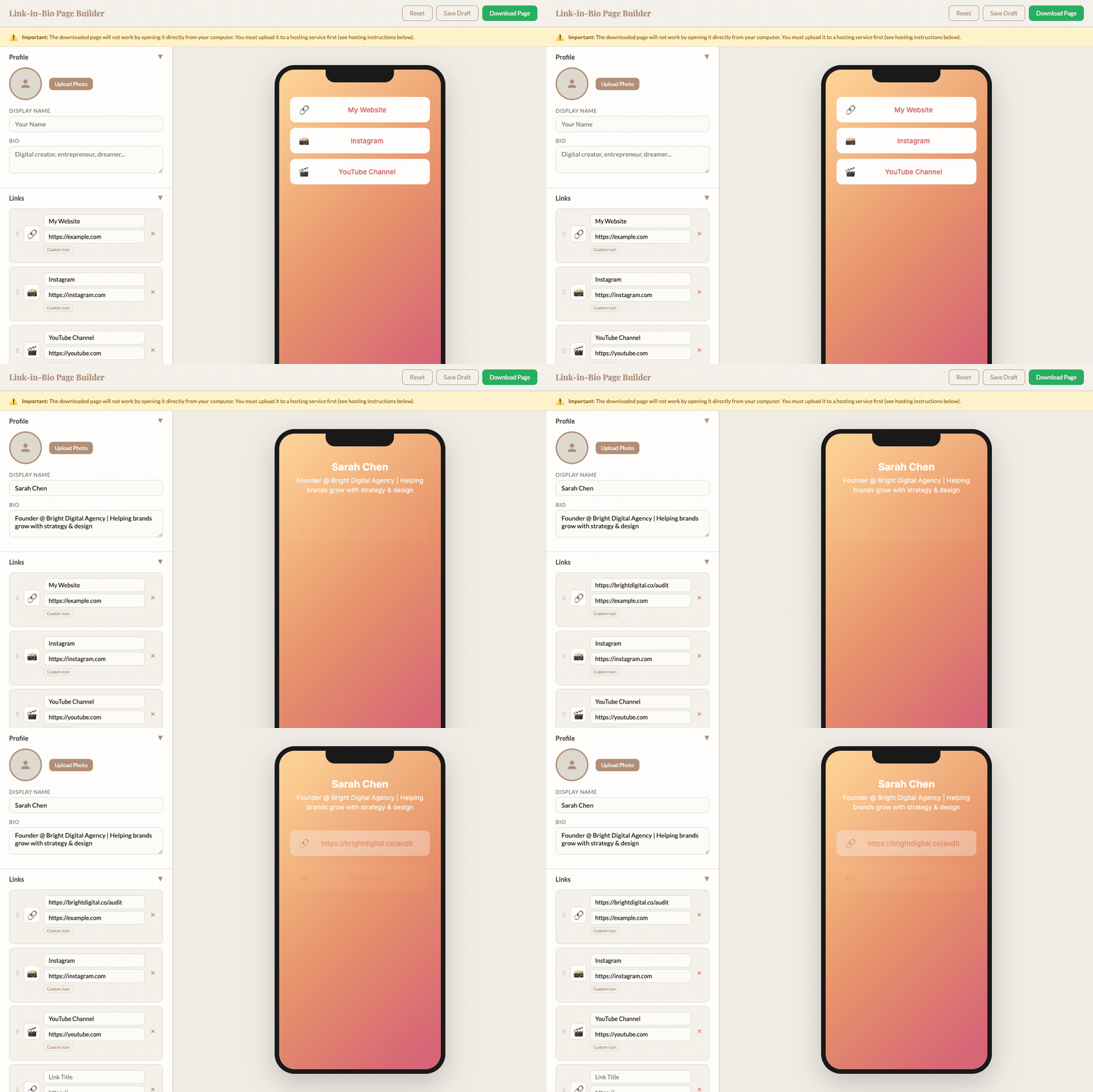
Linktree charges $9/month for a webpage with 8 links on it. That's it. A page with links. You can view the source code in your browser right now — it's one HTML file.

DocuSign charges $45/month for a signature drawn on a screen, attached to a PDF with a timestamp. That's the entire product.

Cookiebot charges $50/month for a JavaScript popup that says "Accept cookies?" and remembers the answer.

These aren't complex systems. They're simple applications wrapped in a subscription model. And until recently, the only way to get them was to pay — because creating them yourself required a developer.

AI changed that. Now you can create professional-grade tools in minutes, not months. No coding. No technical knowledge. Just a conversation with ChatGPT.

This product gives you 13 of those tools — already created, ready to use. Plus 9 guides to create even more, customized for your business.

You built your business to be independent. But right now, you depend on 8 different companies just to send an invoice, sign a contract, and schedule a post. One price increase, one "updated terms of service" — and your workflow breaks.

These tools end that dependency.

The Subscription Trap

The average business owner thinks they spend about $86/month on software (C+R Research, 2022). The real number is $219. And for solopreneurs running an online business, it's often $300–600.

Right now, you're probably paying for:

Add it up. That's $164/month for tools you barely use — $1,968/year.

That's a family vacation. A new laptop. Three months of groceries. Disappearing from your bank account every year for tools you could own outright.

You set these up once. Maybe twice. And every single month, your card gets charged. You see the notification, you think "I should cancel that" — and then you don't, because what if you need it?

That's the trap. You're paying for access to something you already have the right to own. And until recently, you couldn't create it yourself. Now you can.

Every month you wait is another $100-300 you didn't need to spend.

What $164/Month in Subscriptions Looks Like When You Own It Instead

Each tool runs in your browser. No account. No internet. Scroll through.

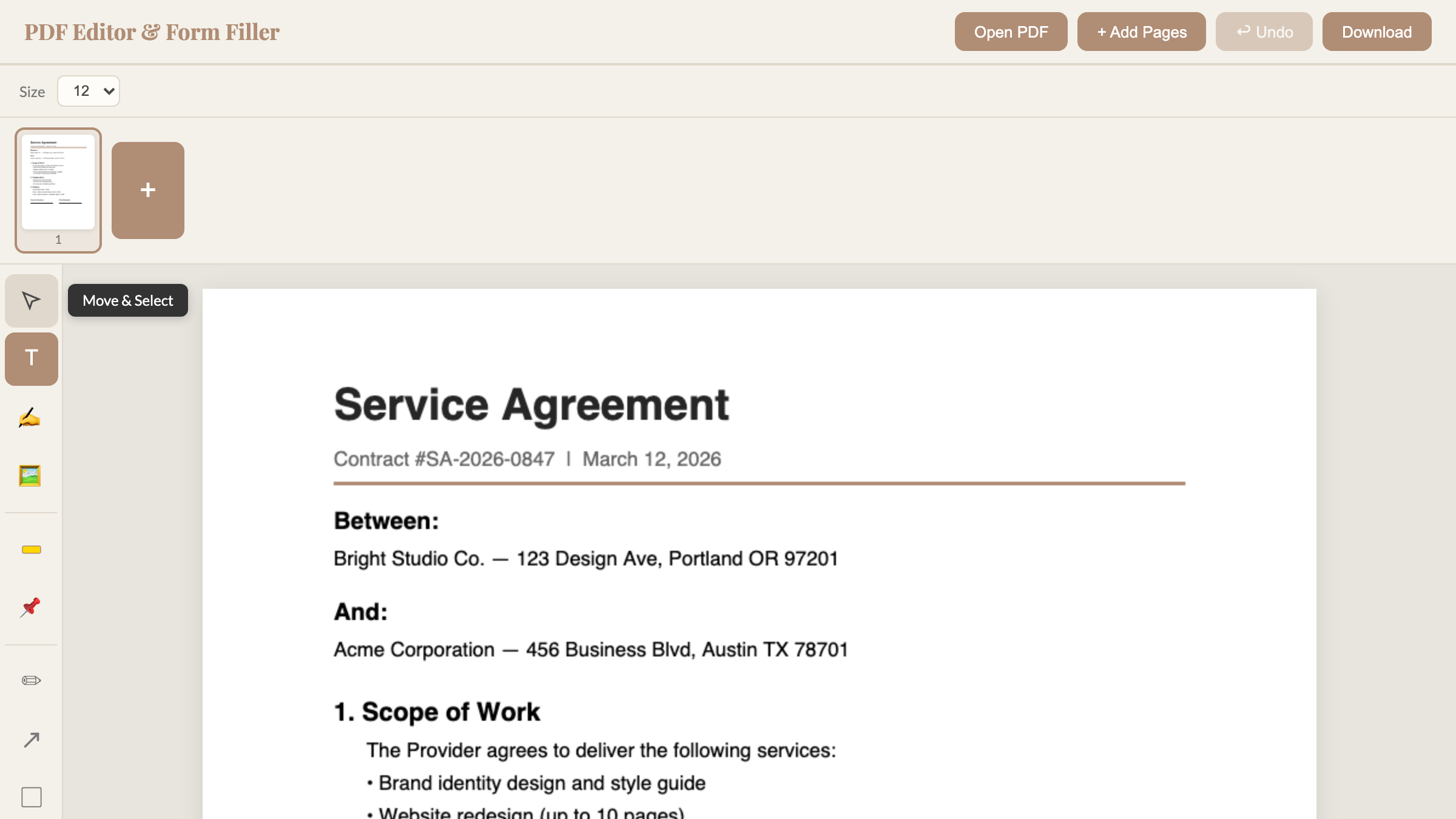
PDF Editor
PDF Editor
Replaces Adobe Acrobat — $20/month
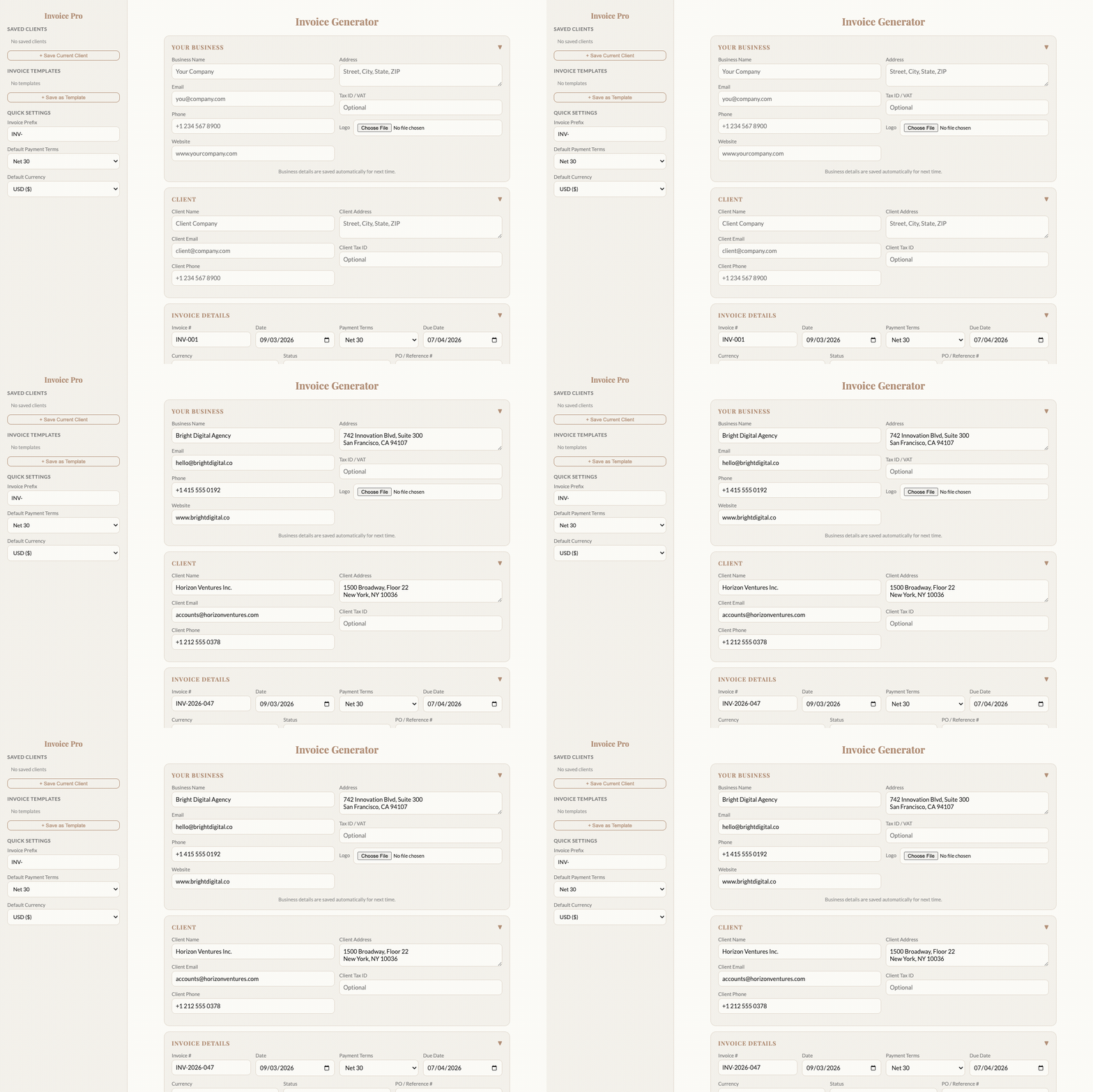
Invoice Generator
Invoice Generator
Replaces FreshBooks — $17/month
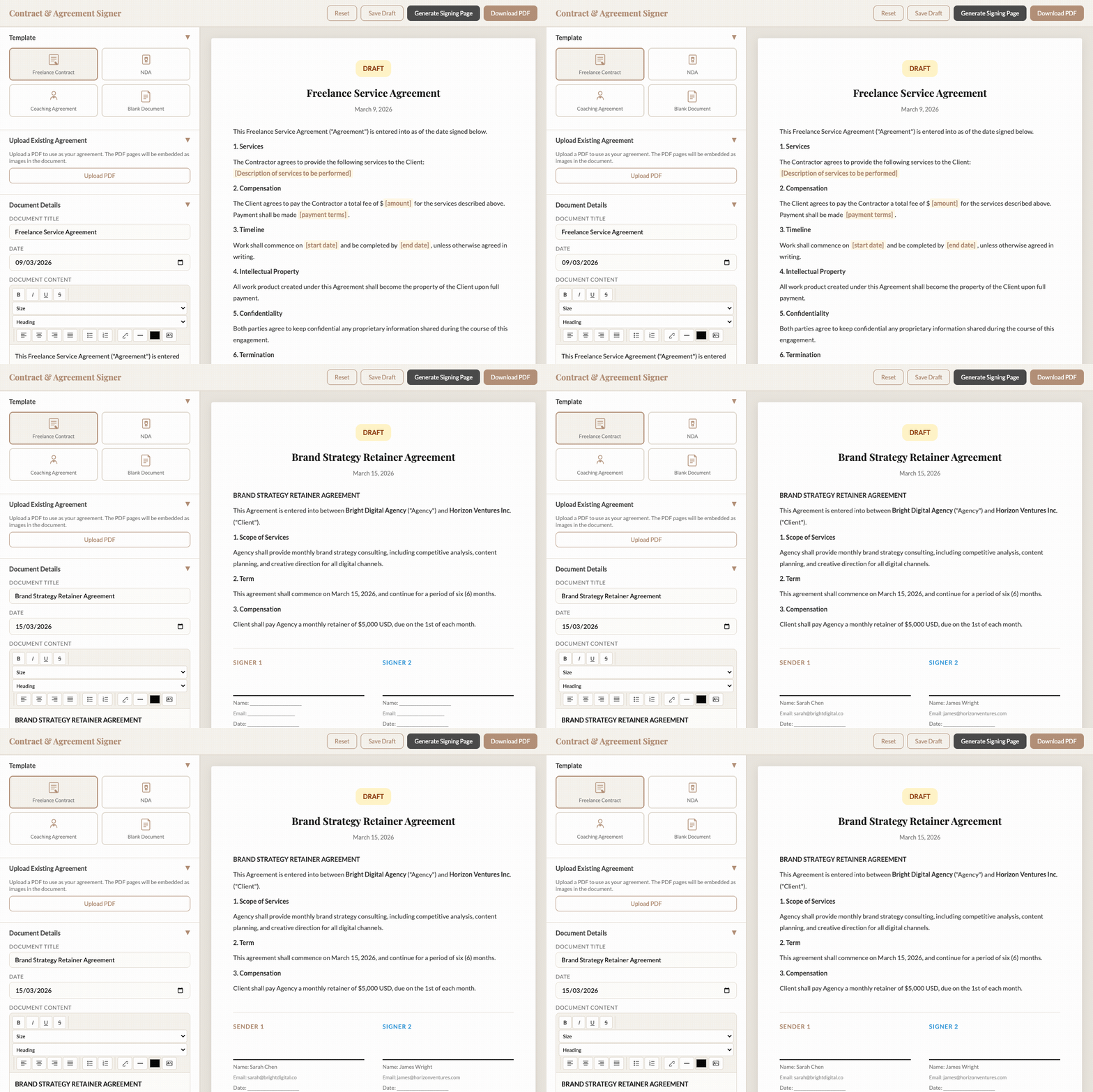
Contract Signer
Contract Signer
Replaces DocuSign — $45/month
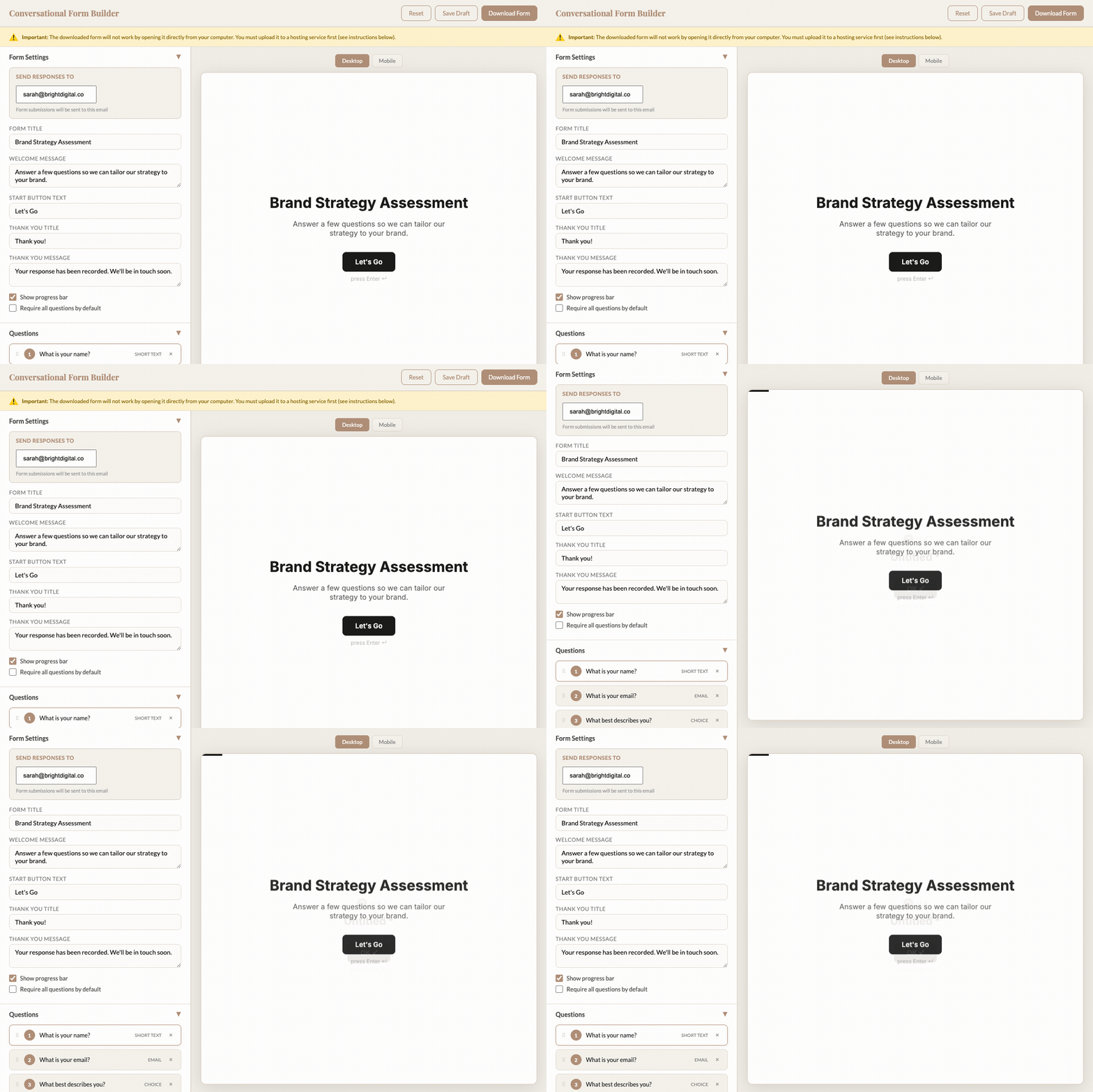
Form Builder
Form Builder
Replaces Typeform — $25/month
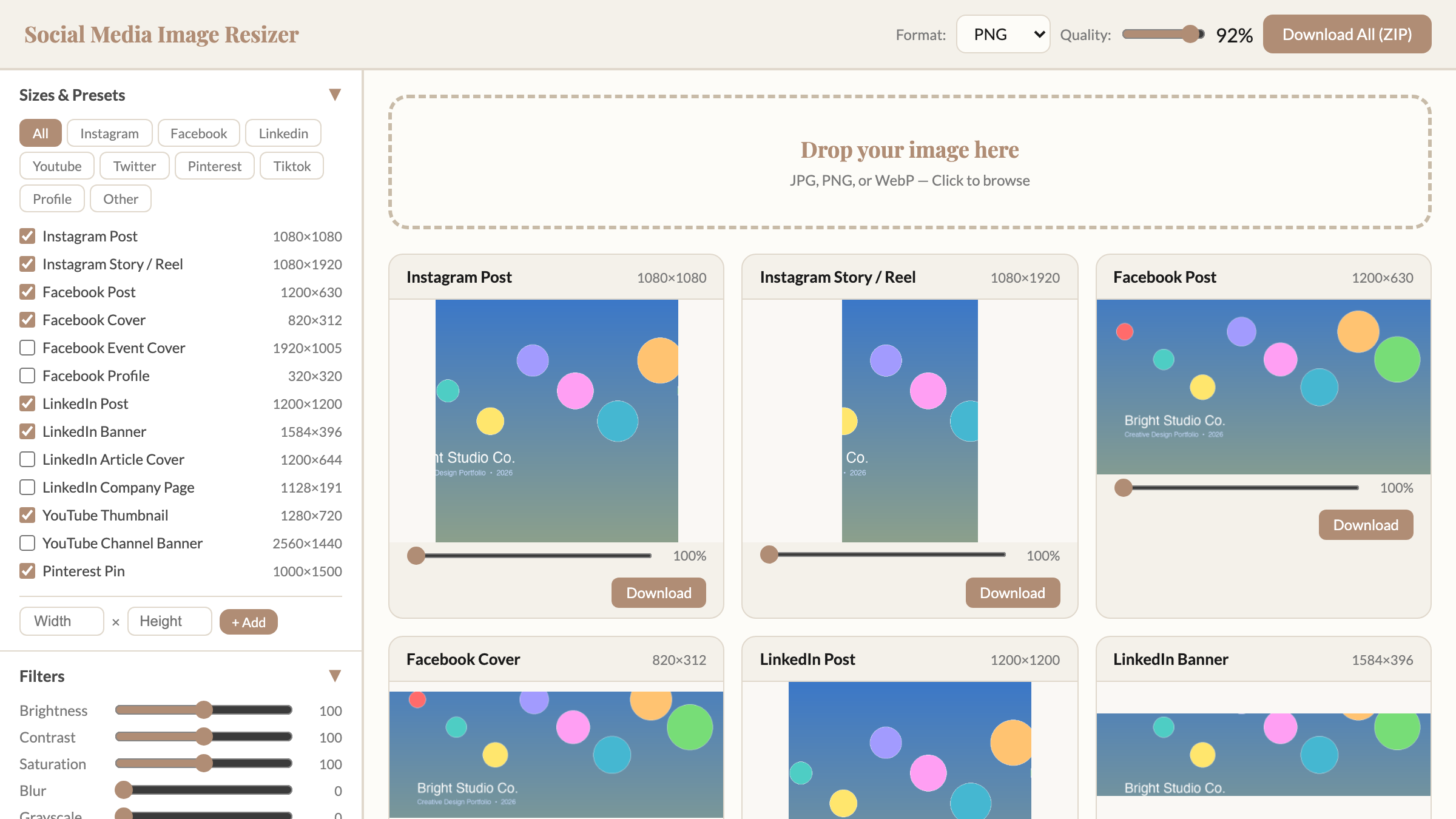
Image Resizer
Image Resizer & Optimizer
Replaces Canva Pro resize — $13/month
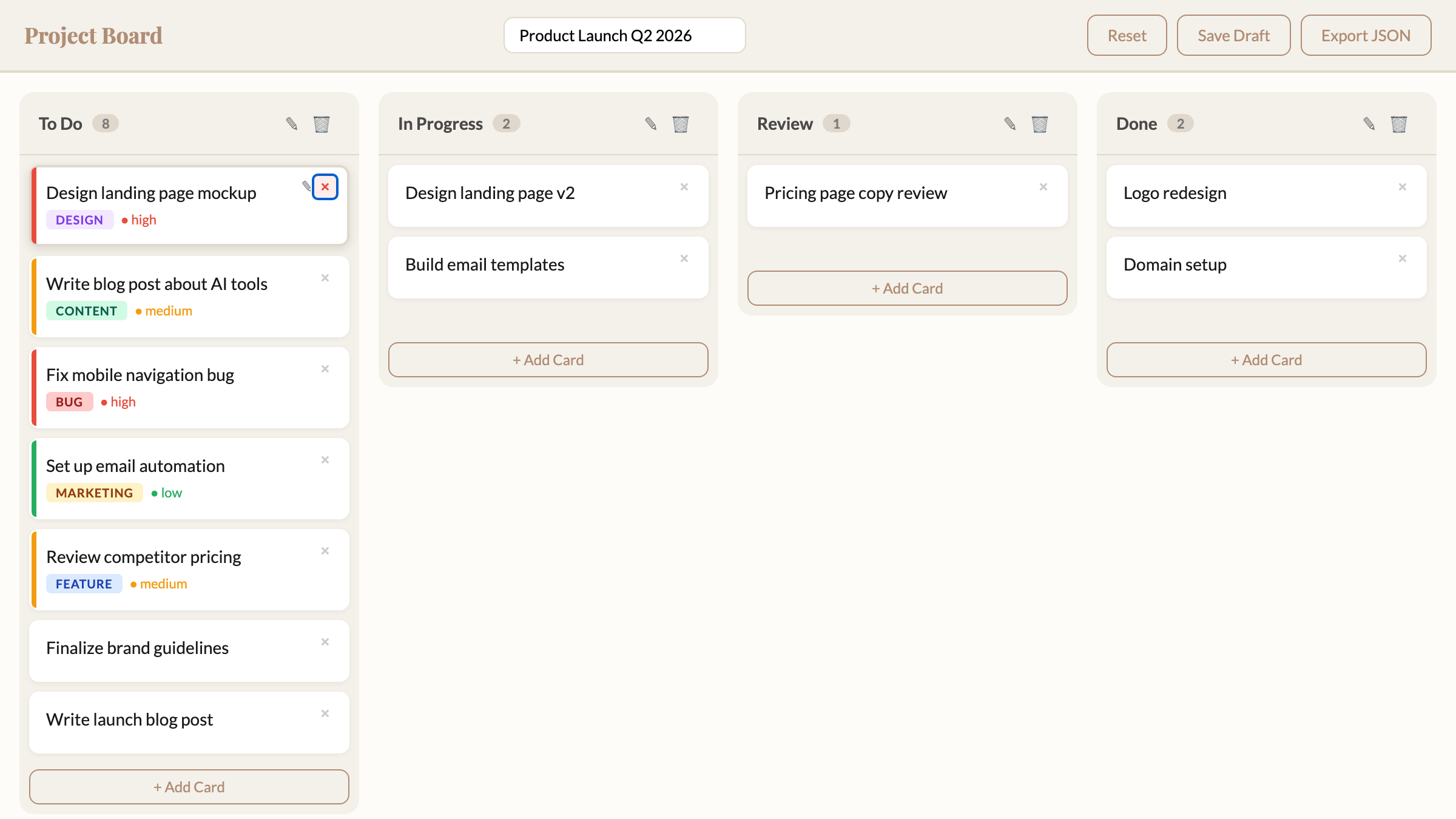
Kanban Board
Project Board
Replaces Trello/Monday — $10/month
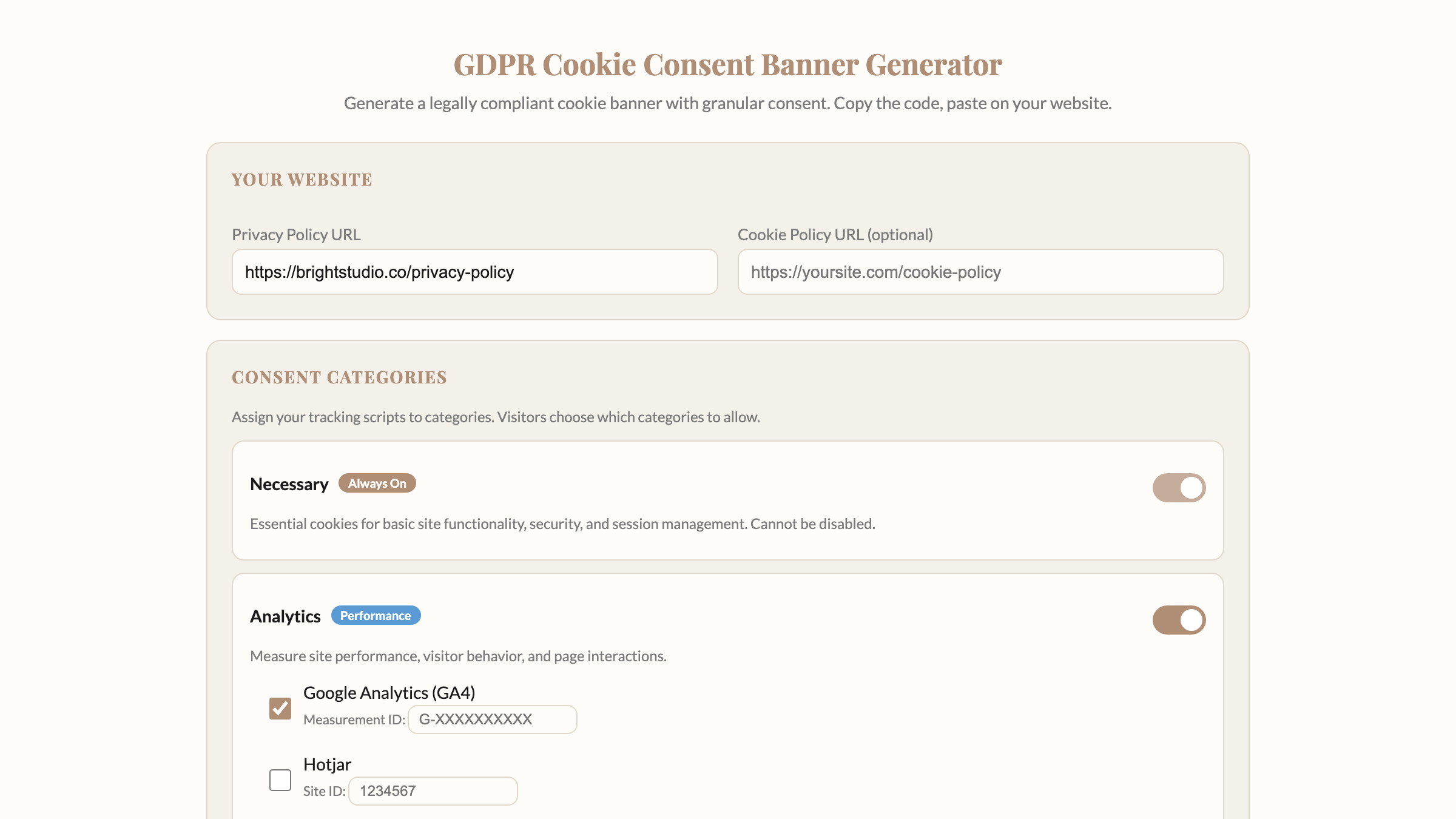
Cookie Consent Banner
Replaces Cookiebot — $50/month
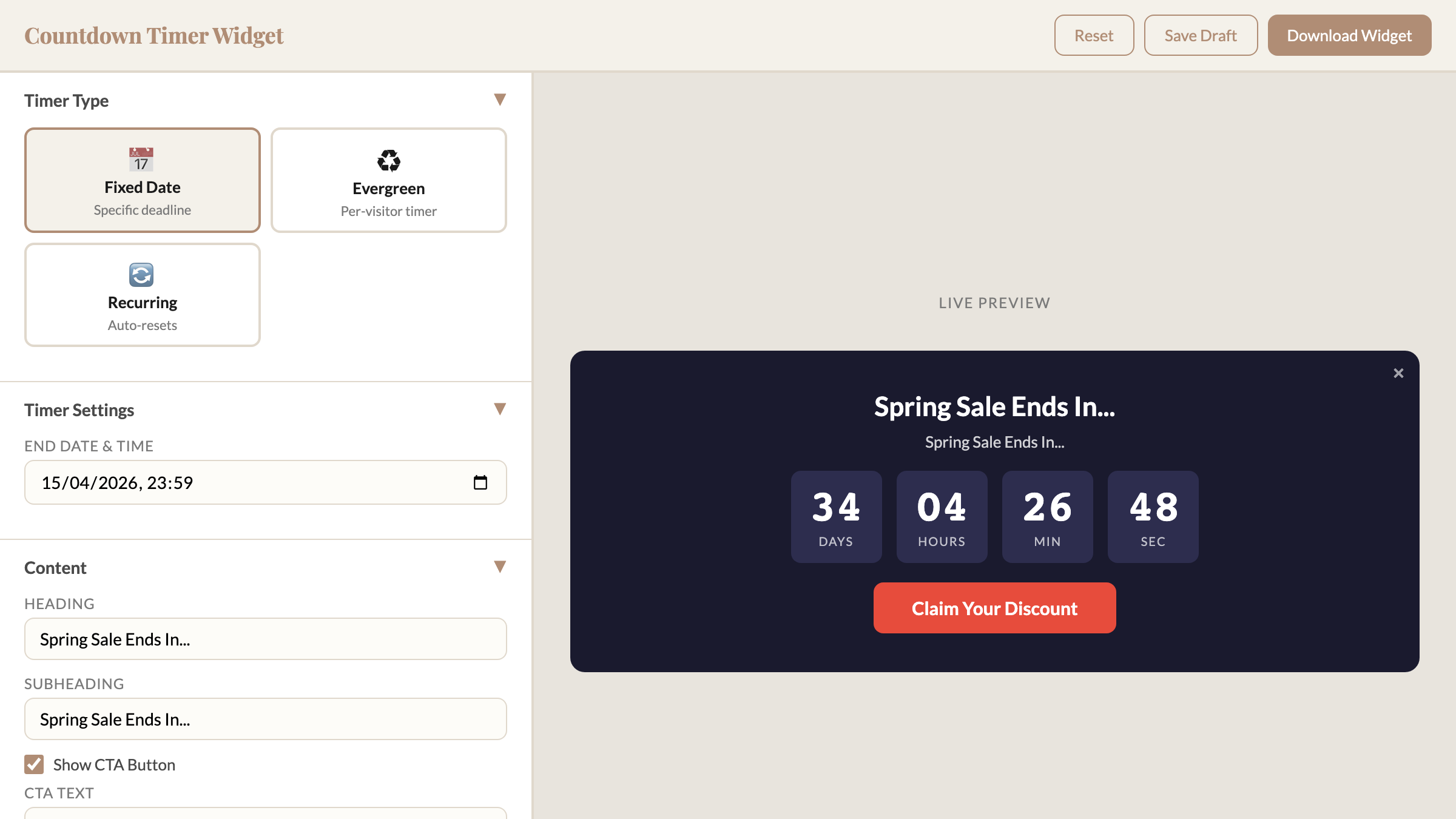
Countdown Timer
Countdown Timer
Replaces Deadline Funnel — $49/month

This Is Not for Everyone

This is for you if:

  • You pay for 5+ software subscriptions and know at least some of them are overpriced
  • You want tools that work, not a coding course
  • You value owning your tools and data over renting access
  • You're tired of "we've updated our pricing" emails

This is NOT for you if:

  • You run a 50-person company that needs enterprise features and team collaboration
  • You want someone to set everything up for you (this is DIY, even though it's simple)
  • You're happy paying $200-500/month for software and don't want to change

If you're in the first group — keep reading. If you're in the second — no hard feelings, this isn't the right fit.

How It Works

1

Download the Tool

Each tool is a single file. Download it. Double-click. It opens in your browser.

2

Use It Immediately

No accounts. No setup. No internet needed. Just open the file and start working.

3

It's Yours. Period.

No login. No renewal. No "your free trial has expired." The tool lives on your computer. Your data never leaves your machine. Nobody can raise the price, change the terms, or take it away.

Everything You Get

Module 1 — Ready to Use

13 Ready-to-Use Tools — Download, Open, Done

No coding. No AI. No setup. Each tool is a single file. Download it, double-click it, use it. Your data stays on your computer.

P
PDF Editor
Replaces Adobe Acrobat, Smallpdf
Fill forms, add signatures, merge pages — without uploading your documents to anyone's server
I
Image Resizer & Optimizer
Replaces Canva Pro resize
18 presets for every social platform, filters, text overlay, watermark — instant
$
Invoice Generator
Replaces FreshBooks, QuickBooks
Professional invoices with your logo, tax calculations, discount codes. Saves your business details for next time.
C
Cookie Consent Banner
Replaces Cookiebot, CookieYes
Google Consent Mode v2, granular consent, GDPR compliant — no $50/month plugin
L
Link-in-Bio Page
Replaces Linktree
Custom themes, fonts, icons — yours to host for free, forever
F
Form Builder
Replaces Typeform, Jotform
One-question-at-a-time forms like Typeform. Embed on your site or share a link.
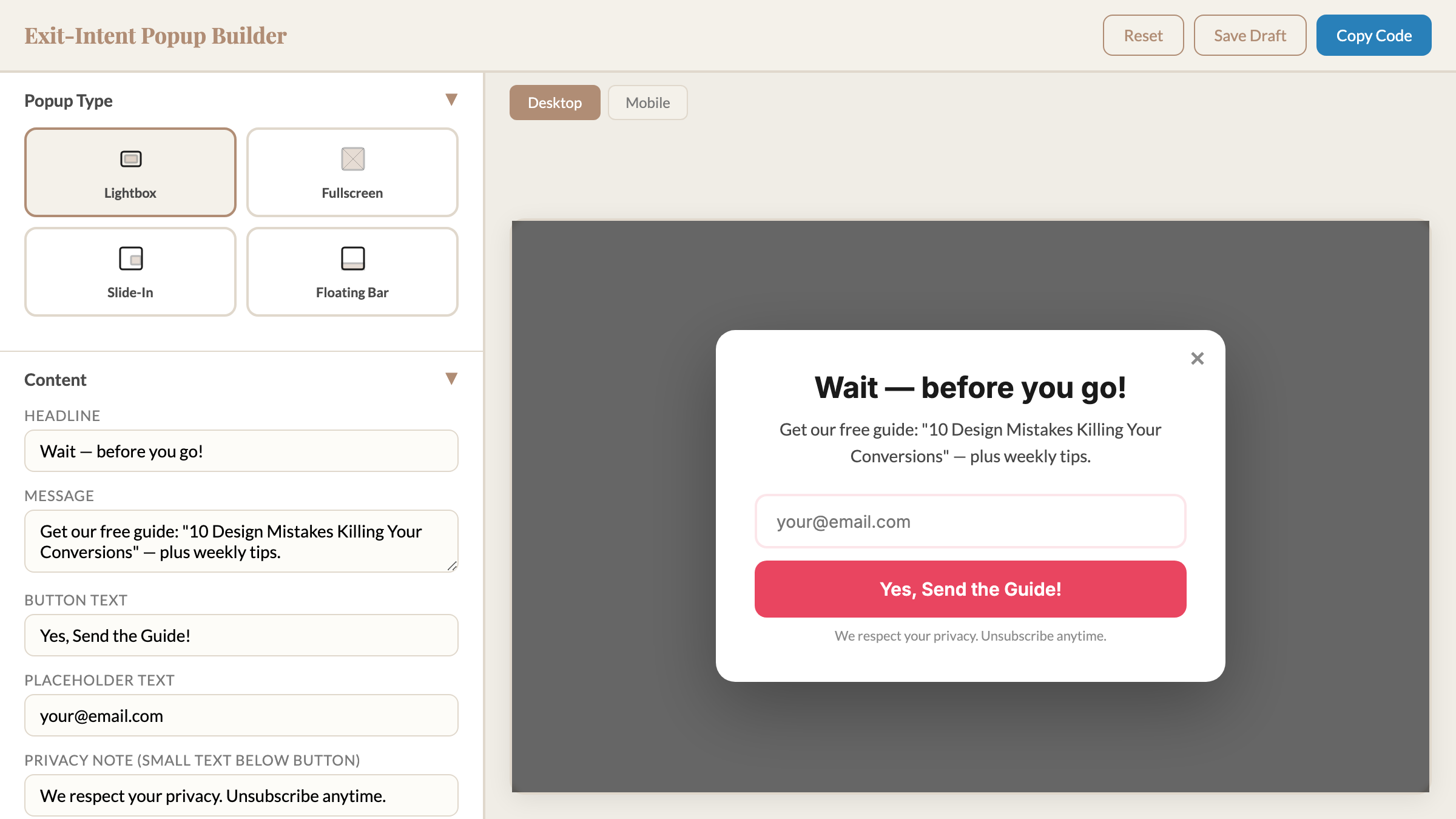
O
Popup Builder
Replaces OptinMonster
Exit-intent, slide-in, floating bar — connects to your email service
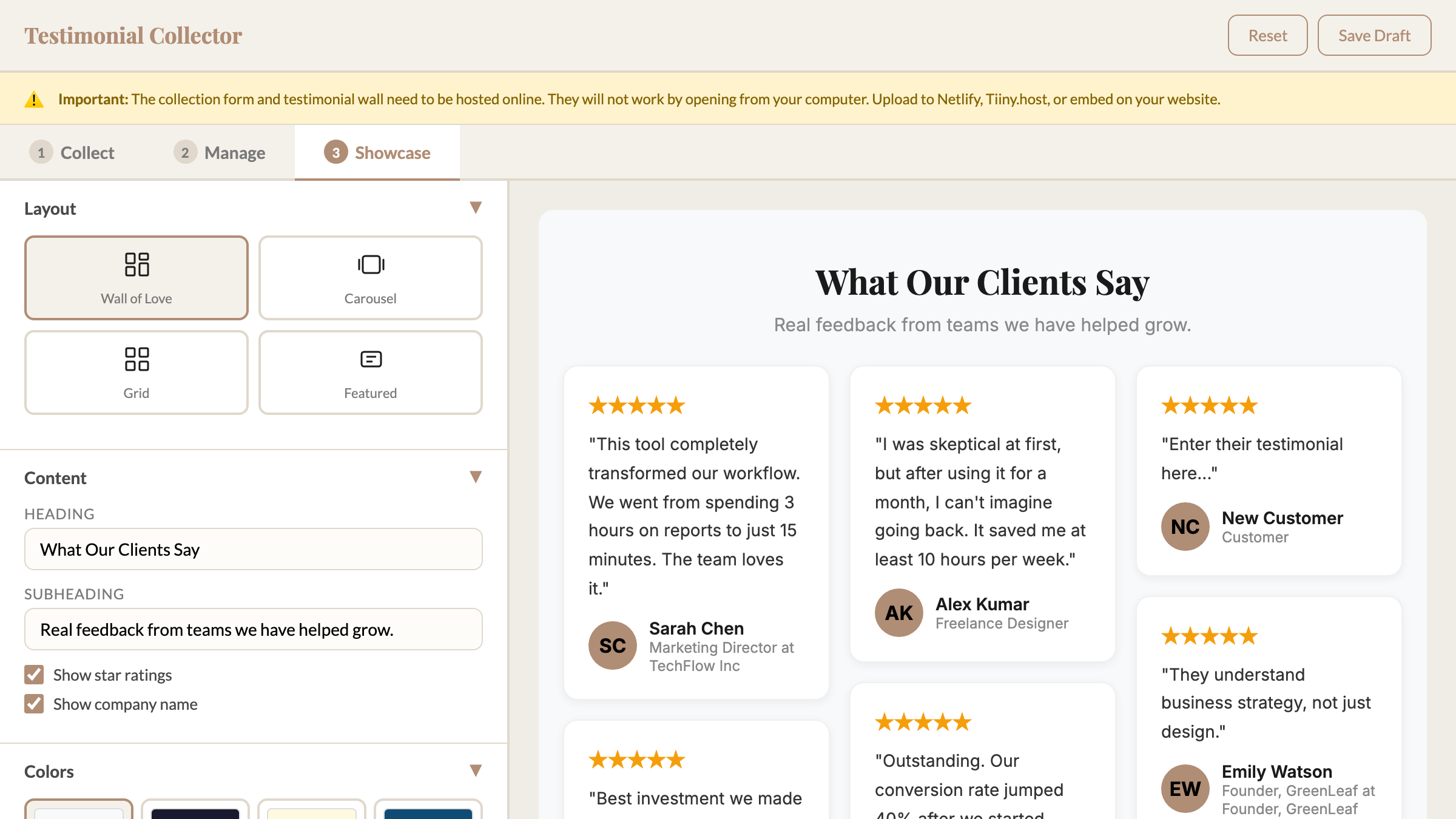
T
Testimonial Collector
Replaces Senja, Testimonial.to
Collect, manage, and showcase testimonials with video support
D
Contract Signer
Replaces DocuSign, HelloSign
Send a link, client signs on screen, both get a timestamped PDF. Same result as DocuSign.
E
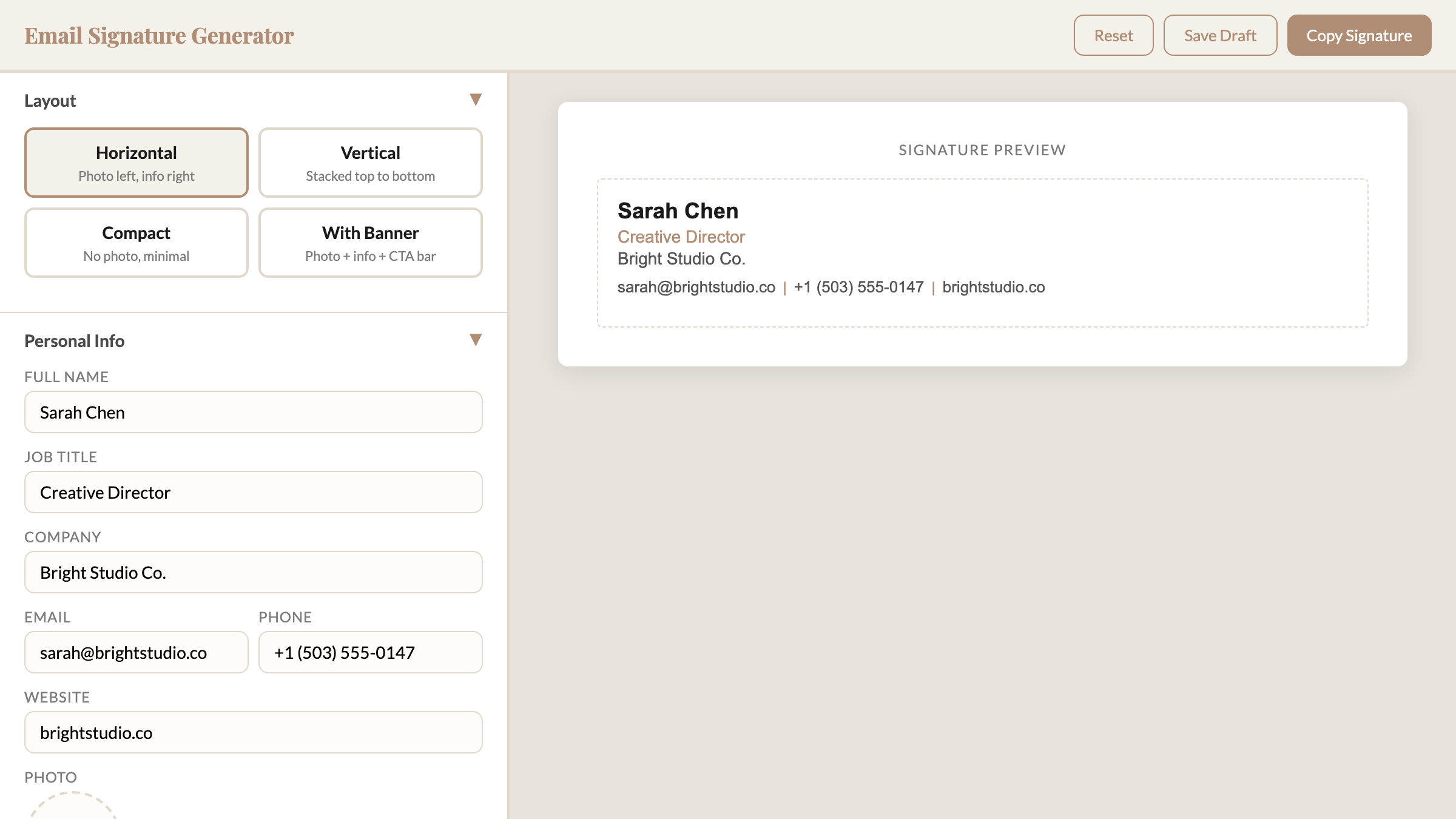
Email Signature Generator
Replaces WiseStamp, MySignature
17 fonts, social icons, handwritten signature pad — configure once, use everywhere
K
Project Board (Kanban)
Replaces Trello, Monday.com
Drag-and-drop boards, auto-save, optional cloud sync for sharing
W
Countdown Timer Widget
Replaces Deadline Funnel
Embed on any sales page — no $49/month subscription for a timer
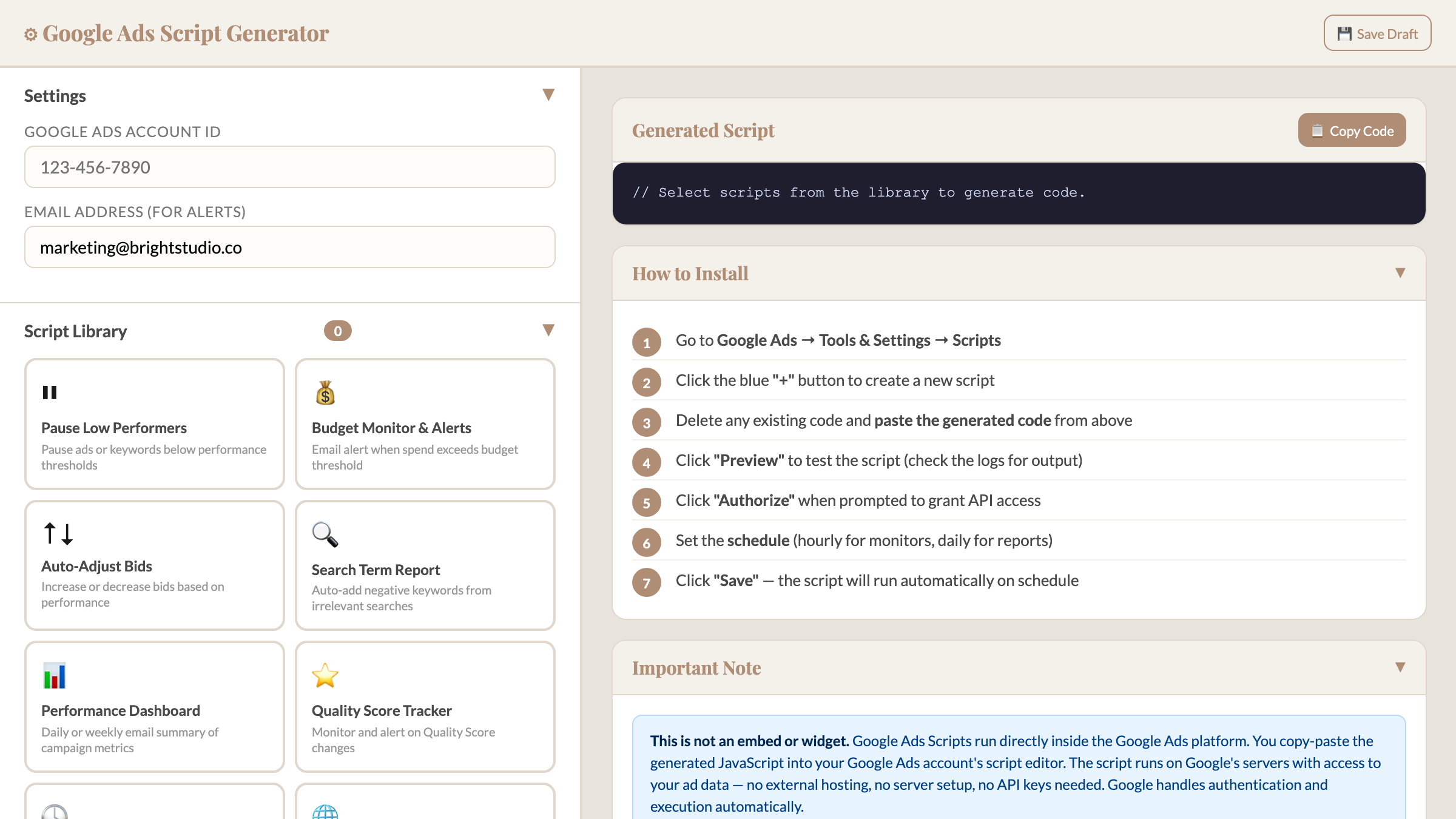
G
Google Ads Script Generator
Replaces Optmyzr, WordStream
8 automation scripts: pause losers, monitor budgets, adjust bids — runs inside Google Ads
Module 2 — Advanced Guides

9 Guides to Create Tools Customized for YOUR Business

For tools that need your brand, your links, your settings. You paste a prompt into ChatGPT (free version works), answer a few questions, and get a tool built specifically for you. Takes 20-30 minutes each.

And along the way, you learn a skill that pays for itself over and over — creating any tool you need with AI.

S
Substack Notes Scheduler
Replaces Buffer for Substack
X
X/Twitter Scheduler
Replaces Buffer, Hootsuite
A
Google Ads Automation
Replaces Optmyzr ($49-249/mo)
M
Email Popup & Opt-in
Replaces OptinMonster ($21-147/mo)
B
Custom Link-in-Bio Page
Replaces Linktree Pro
Q
Custom Form Builder
Replaces Typeform Pro
R
Testimonial System
Replaces Senja Pro
H
SEO Dashboard & Content Planner
Replaces SEMrush ($99-449/mo)
N
Contract Signing Tool
Replaces DocuSign Pro
Free Bonus

30 Subscriptions You Can Cancel Today

A curated list of free alternatives you can switch to today. Including: the free app that opens Photoshop files (goodbye $55/month Adobe CC). The Chrome extension that replaces Grammarly locally. The screen recorder already built into your computer. The meeting tool that's unlimited and free. You'll probably find 3-5 you're paying for right now that you can cancel before dinner.

You're not just getting 22 tools. You're getting proof that you don't need to depend on subscriptions anymore — and the skill to create whatever you need next.

Get Instant Access — $47 One-time payment • Yours forever • 30-day guarantee

What These Subscriptions Cost — vs. What You'll Pay

Tool Replaces Their Price Yours
PDF EditorAdobe Acrobat$20/mo$0
Invoice GeneratorFreshBooks$17/mo$0
Contract SignerDocuSign$45/mo$0
Form BuilderTypeform$25/mo$0
Cookie BannerCookiebot$50/mo$0
Countdown TimerDeadline Funnel$49/mo$0
Image ResizerCanva Pro$13/mo$0
Project BoardMonday.com$10/mo$0
Link-in-BioLinktree$9/mo$0
TOTAL (just these 9)$238/month ($2,856/year)$47 once

You probably don't use all 9. But even 3 of them means you're paying $50-100/month for something you could own for $47 total.

Get Instant Access — $47 The subscriptions on your bank statement this month will be there next month too — unless you do something about it.

The Math Is Simple

The average solopreneur finds $100-300/month in subscriptions they can replace.

At the low end — $100/month — that's $1,200/year.

This product costs $47. Once.

Which means it pays for itself before your next credit card statement arrives.

And every month after that? That money stays in your account instead of going to Adobe, Typeform, and DocuSign.

After 12 months, you're looking at $1,200-3,600 that didn't disappear. For a $47 decision you made on a Tuesday afternoon.

Still Not Sure?

"I'm not technical"

You download a file. You double-click it. It opens.

If you can open a PDF attachment from an email, you can use these tools. The advanced guides use ChatGPT — you paste a prompt and follow along. No code at any point.

"I don't have time for this"

The ready-made tools take 2 minutes. The guides take 20.

You'll spend more time reading this page than setting up your first tool. And once it's done, it's done — no monthly login, no renewal, no "your plan has been updated" emails.

"These can't be as good"

They do the 90% you actually use. Without the 10% you're paying for but never touch.

The invoice generator handles multi-page invoices with your logo, tax, and discounts. The contract signer creates legally timestamped signatures. These aren't demos — they're the tools you'd keep even if the paid versions were free.

Who Made This?

Alex Zah
Alex Zah

12 years in digital marketing. Managed millions in ad spend. Built funnels, digital products, and online businesses across every platform you can name.

During that time, I paid for every subscription without thinking. FreshBooks, DocuSign, Canva Pro, Typeform, Buffer — it was just the cost of doing business. I never questioned it.

Then I started asking: do I actually need to rent this, or can I just create it?

Turns out, most of the tools I was paying $15-50/month for could be replaced in an afternoon. So I created them. Then I documented every step so you can do the same.

You're not just getting 22 tools. You're getting proof that you don't need to depend on subscriptions anymore — and the skill to create whatever you need next.

One More Thing: Your Data Stays Yours

Every tool runs locally on your computer. Your invoices, contracts, PDFs, and client data never touch a server. No uploads. No accounts. No company storing your sensitive documents on their cloud.

Think about it: every contract you've signed on DocuSign, every invoice you've created on FreshBooks, every form response on Typeform — all of it lives on their servers. With these tools, it lives on YOUR computer. No breaches. No "we've updated our privacy policy" emails. No third party between you and your data.

Questions You Might Have

Do I need to know how to code?

No. The 13 tools in Module 1 are ready to use — download, double-click, done. The 9 guides in Module 2 use AI (ChatGPT free version works fine). You paste a prompt, answer a few questions, and the AI creates the tool for you. No coding at any point.

How long does this take?

The ready-to-use tools take about 2 minutes — download and open. The advanced guides take 20-30 minutes each. You're not creating anything from scratch — you're following a step-by-step guide.

Will these tools actually work as well as the paid ones?

For the core features that 90% of solopreneurs actually use — yes. The PDF editor fills forms and adds signatures. The invoice generator handles professional invoices with clients, tax, and discounts. The form builder creates one-at-a-time forms like Typeform. If you need enterprise features for a 500-person company, these aren't for you. If you need to send invoices, sign contracts, and resize images — they do exactly that.

Why is this only $47?

Because it costs me nothing to deliver. There's no server to maintain, no support team, no ongoing costs. You download the tools, they run on your computer. I'd rather sell 1,000 copies at $47 than 100 copies at $197.

What if I only need a few of these?

That's the point. Most people find 3-5 tools that match subscriptions they're currently paying for. Even replacing 2 tools at $15-20/month each means the product pays for itself in the first month. Everything else is a bonus you might use later.

Can I use these tools for client work?

Yes. The invoice generator, contract signer, and form builder are designed for client-facing use. Send professional invoices, get contracts signed, collect form responses — just like the paid tools, except the data stays on your machine.

What do I need to use these?

A web browser — Chrome, Firefox, Safari, or Edge. That's it. The tools open in your browser like a regular webpage. No installation needed.

Is my data safe?

Safer than any subscription tool. Everything runs locally in your browser. Your files never leave your computer. No server, no cloud, no account that could be hacked or have a data breach.

What if it's not for me?

30-day money-back guarantee. If you don't save at least $47 in the first month — which is nearly impossible if you cancel even one subscription — you get a full refund. No questions. You keep the tools either way.

Will I get updates?

Yes. New tools and updates are included free. Since the tools run on your computer, the ones you have already will keep working regardless — no server needed, no company to go out of business.

What AI tool do I need for the guides?

Any free AI works — ChatGPT (free), Claude, or Google Gemini. The guides include exact prompts to paste. You don't need to know how to write prompts.

30
DAY

Try Everything for 30 Days — If You Don't Save More Than $47, Get Your Money Back

Use every tool. Follow every guide. Cancel the subscriptions you don't need anymore. If after 30 days you haven't saved at least $47 — email me and I'll refund you in full. No questions. No forms. No "reason for cancellation." You keep the tools either way.

The tools are ready now. Your subscriptions are charging now. The only question is how many more months you want to pay for both.

What Happens Next

  1. You click the button below and complete your purchase ($47, one-time)
  2. You get instant access to your dashboard with all 13 tools and 9 guides
  3. Download your first tool — takes 10 seconds
  4. Double-click the file. It opens in your browser. Start using it.
  5. Follow a guide to create a customized tool — takes 20 minutes
  6. Cancel the subscription you just replaced

That's it. No onboarding call. No 47-email welcome sequence. You get the tools, you use them, you save money.

Next month, you'll get another round of subscription charges on your bank statement. $15 here. $25 there. $45 for something you used once this month. The same charges you got last month, and the month before that.

Or — you spend $47 today, and next month those charges are gone. Not some of them. The ones you choose to cancel. Permanently.

13 Tools. 9 Guides. One Payment. Yours Forever.

No subscription. No recurring fees. No "your plan has been updated."

Just tools that work, on your computer, for as long as you want them.

Stop renting software. Start owning it.

$47
Get Instant Access — $47 One-time payment • Instant download • 30-day money-back guarantee
Get Instant Access — $47